
Connect the correct key
Use the rear-panel [KEY] jack and set Key Type to match a straight key, bug, or paddle before transmitting.
An original CW599 workflow for getting this radio ready to listen and send. It does not reproduce the manufacturer manual; confirm exact labels, options, and firmware behavior with the official resource before transmitting.
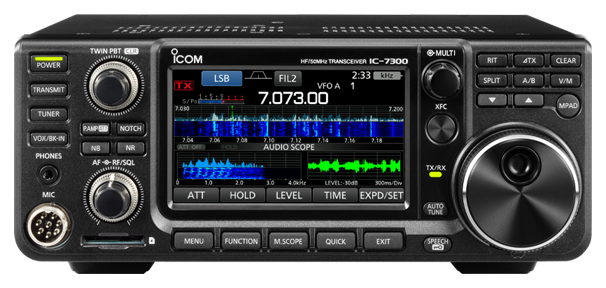
Use this order as an operating checklist, not as a replacement for the radio manual. Controls and available options can vary by firmware and region.
Use the rear-panel [KEY] jack and set Key Type to match a straight key, bug, or paddle before transmitting.
Press [CW], choose CW or CW-R, then use [CW PITCH] to place the received note where your ear works best.
Use [KEY SPEED] and the sidetone level in CW-KEY SET. Begin slowly enough to hear every element.
Use [VOX/BK-IN] for OFF, semi break-in, or full break-in. Start with semi break-in on a new station.
Store repeatable CQ or exchange text only after keyer polarity, speed, and break-in all behave correctly.
Search the model-specific CW controls below. Menu labels and ranges are drawn from official documentation; the notes are original CW599 operating guidance.
KEYER > EDIT/SET > CW-KEY SET > Key TypeCW599 note: Match this to the physical key connected to [KEY].
[CW PITCH] multi-function controlCW599 note: Set the received CW note where it is comfortable to copy for a long session.
[KEY SPEED] multi-function controlCW599 note: Increase only after the sender and receiver timing both feel natural.
[VOX/BK-IN]CW599 note: BKIN is semi break-in; F-BKIN is full break-in. Test the whole station before using full break-in.
MENU > SET > Function > CW Normal SideCW599 note: Choose the sideband convention you want CW mode to use.
KEYER > EDIT/SET > CW-KEY SET > Paddle PolarityCW599 note: Reverse only when the paddle sends the opposite element from your hand movement.
KEYER > EDIT/SET > CW-KEY SET > Dot/Dash RatioCW599 note: Use a neutral ratio first; change it only to correct a clear sending preference.
KEYER > EDIT/SET > CW-KEY SET > Rise TimeCW599 note: A slightly softer rise can reduce key-click character on a crowded band.
KEYER > EDIT/SET > CW MEMORYCW599 note: Keep stored messages short and listen before every memory transmission.
No matching settings. Try a shorter search or clear the search and category.
These are original operator-oriented starting points. They are not factory presets and intentionally avoid claiming model-specific default values.
A calm setup for learning the radio.
A patient workflow for signals close to noise.
For operators who need quicker station turnaround.
Use the manufacturer-controlled product and support pages to verify your region, firmware, menus, connector wiring, operating limits, and safety information. CW599 does not host, mirror, or reproduce the manual.