
Set the keyer before packing
Use menus 04-01 through 04-03 to match key type, direction, and weighting to your field key.
An original CW599 workflow for getting this radio ready to listen and send. It does not reproduce the manufacturer manual; confirm exact labels, options, and firmware behavior with the official resource before transmitting.
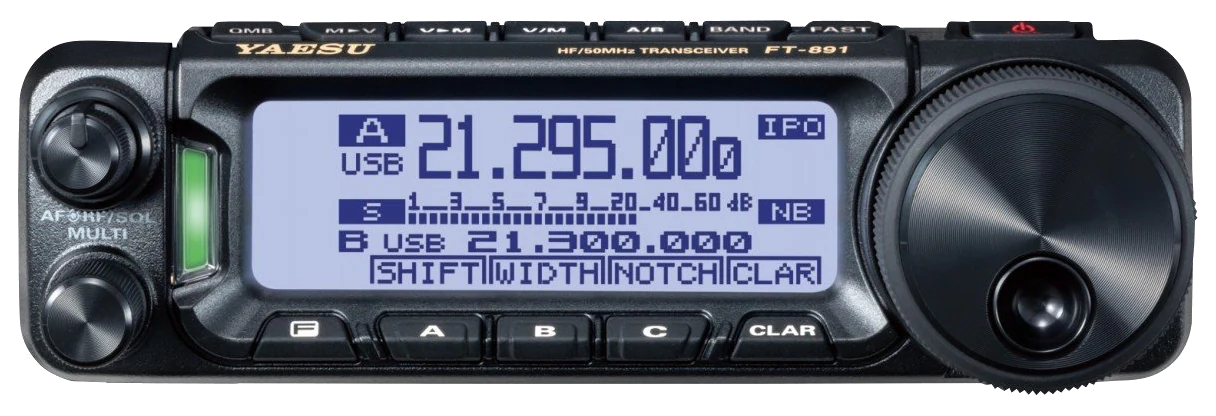
Use this order as an operating checklist, not as a replacement for the radio manual. Controls and available options can vary by firmware and region.
Use menus 04-01 through 04-03 to match key type, direction, and weighting to your field key.
Choose a consistent frequency display convention and a comfortable sidetone before operating.
Set 07-08 CW BK-IN TYPE to SEMI and leave a conservative delay on an unfamiliar station.
Use APF and filters one change at a time so you can still recognize the desired note.
Use CW memories only after manual keying and station return-to-receive are confirmed.
Search the model-specific CW controls below. Menu labels and ranges are drawn from official documentation; the notes are original CW599 operating guidance.
MENU 04-01 KEYER TYPECW599 note: Select the behavior that matches your straight key or paddle.
MENU 04-02 KEYER DOT/DASHCW599 note: Reverse only when the physical paddle direction is opposite to the radio output.
MENU 04-03 CW WEIGHTCW599 note: Neutral weighting is the most predictable starting point.
MENU 04-07 through 04-11CW599 note: Store short messages and listen before every transmission.
MENU 07-06 CW AUTO MODECW599 note: Treat automatic CW switching as an optional convenience, not a required setting.
MENU 07-08 CW BK-IN TYPECW599 note: Semi break-in is a reliable first setting for compact and portable stations.
MENU 07-09 CW BK-IN DELAYCW599 note: Shorten only after confirming the radio, accessory, and relay timing.
MENU 07-10 CW WAVE SHAPECW599 note: Keep a clean waveform before prioritizing rapid operation.
MENU 07-01 CW FREQ DISPLAYCW599 note: Use the display convention that keeps your tuning predictable.
MENU 07-13 QSK DELAYCW599 note: Test fast break-in with every device in the transmit chain.
MENU 12-01 APF WIDTHCW599 note: Use APF as a focused listening aid on difficult signals.
No matching settings. Try a shorter search or clear the search and category.
These are original operator-oriented starting points. They are not factory presets and intentionally avoid claiming model-specific default values.
A calm setup for learning the radio.
A patient workflow for signals close to noise.
For operators who need quicker station turnaround.
Use the manufacturer-controlled product and support pages to verify your region, firmware, menus, connector wiring, operating limits, and safety information. CW599 does not host, mirror, or reproduce the manual.