
准备电台
连接要使用的电键或键盘、耳机和相关接口。先以安全的仅接收状态检查。
这是 CW599 为这款电台整理的原创 CW 操作流程,帮助你从监听到发射做好准备。本文不复制厂商说明书;发射前请通过官方资料核对准确的菜单名称、选项与固件行为。
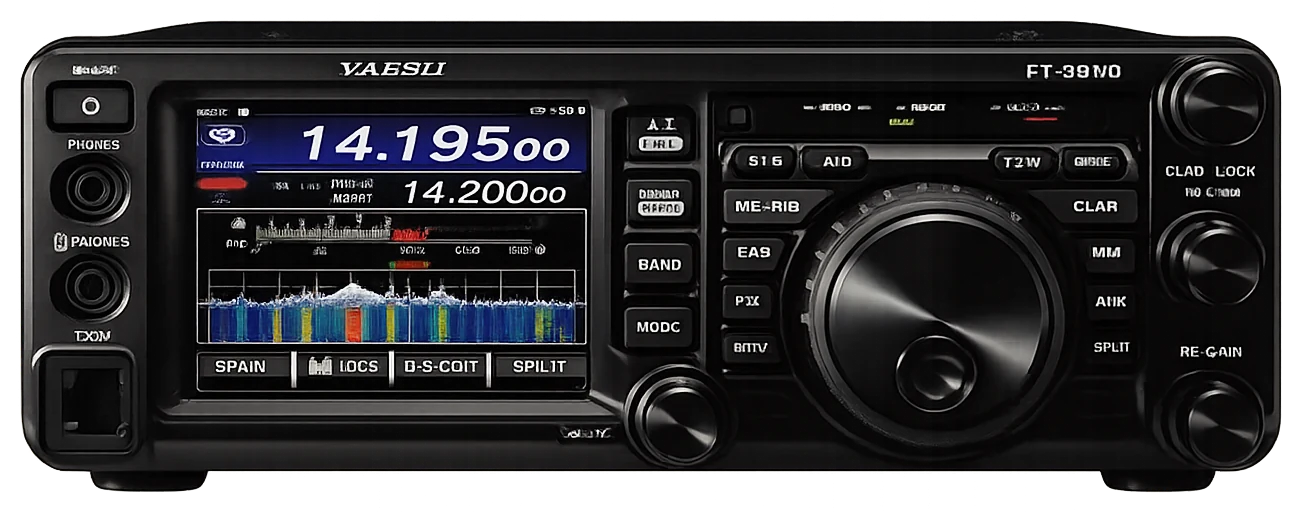
把这套顺序当作操作检查表,而不是说明书替代品。可用控制项会因固件和区域版本而不同。
连接要使用的电键或键盘、耳机和相关接口。先以安全的仅接收状态检查。
选择电台常用的 CW 接收模式,先调到一段能够抄收的信号。
选择听起来舒适的侧音和接收音调。侧音只需开到可长时间监听的音量。
直键或电子键控要与实际硬件匹配。建议先采用保守的半插入。
确认频率无人使用,以舒适速度发送呼号,并检查松键后能正常回到接收。
菜单名称保留厂家原文,便于在电台菜单中直接对应;说明为 CW599 的原创操作提示。
MENU 012 KEYER TYPECW599 提示: Select the mode that matches your actual key or paddle.
MENU 013 KEYER DOT/DASHCW599 提示: Change only if the paddle sends the opposite element.
MENU 014 CW WEIGHTCW599 提示: Start neutral and make small changes only after careful listening.
CW pitch controlCW599 提示: Choose a receive note that stands apart from nearby CW.
MENU 055 CW AUTO MODECW599 提示: Use automatic CW selection only when its behavior is familiar on your operating band.
MENU 056 CW BK-IN TYPECW599 提示: Semi break-in is the safest first choice for a new station configuration.
MENU 057 CW BK-IN DELAYCW599 提示: Reduce delay gradually after confirming station switching.
MENU 058 CW WAVE SHAPECW599 提示: Use the default shaping unless a measured station need suggests otherwise.
MENU 059 CW FREQ DISPLAYCW599 提示: Choose one display convention and keep it consistent while learning.
MENU 060 PC KEYINGCW599 提示: Enable only for a known, tested computer-control connection.
MENU 061 QSK DELAY TIMECW599 提示: Fast break-in timing should be tested with all external equipment active.
MENU 111 APF WIDTHCW599 提示: Use this together with careful tuning, not as an automatic cure for interference.
没有匹配的设置。尝试缩短关键词,或清除搜索与分类。
这些是面向操作者的原创起始建议,不是出厂预设,也刻意不把未经核对的值写成机型默认值。
适合熟悉电台的从容设置。
适合接近噪声底的信号。
适合需要更快收发转换的操作者。
请使用厂商控制的产品和支持页面,核对区域版本、固件、菜单、插头接线、操作限制和安全信息。CW599 不托管、不镜像,也不复制说明书。